Loop
Mini Production Studio
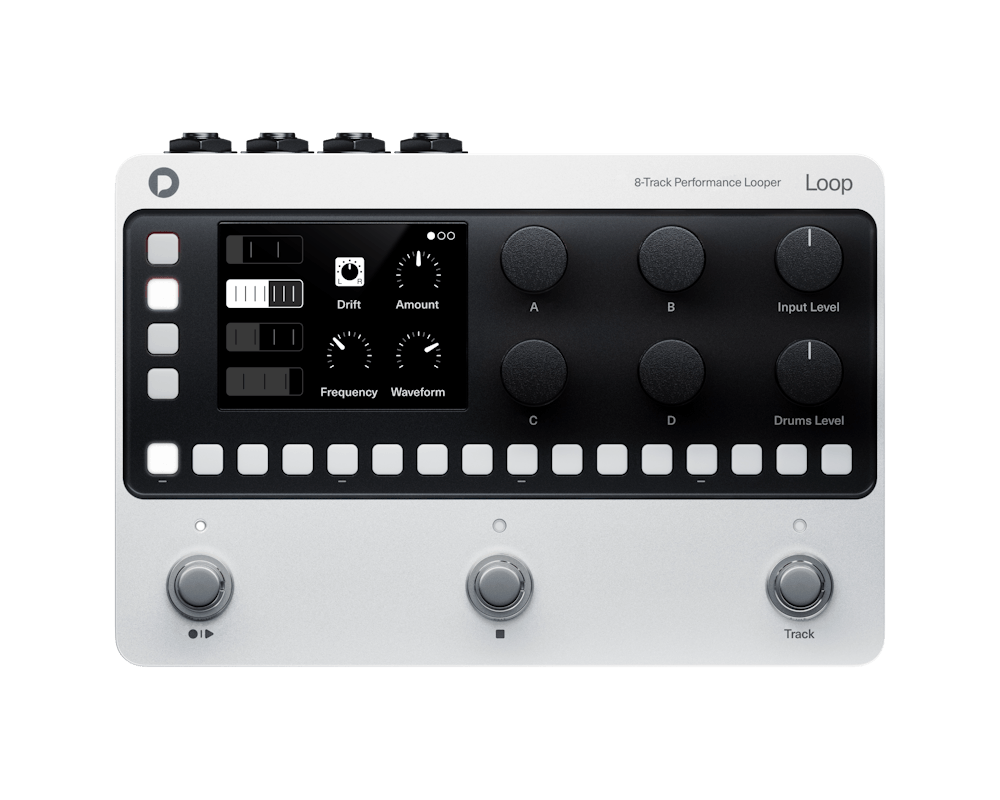
Record your instruments. Sample your own sounds. Build beats and melodies. Loop brings recording, sampling, sequencing and effects into one compact device.
Main features
Audio
Start with a guitar line, a bass part, a synth or your voice. Build layers across four independent loop tracks, then give each part its own character with effects and playback modes.
Samples
Sample a drum hit, a synth note or your own voice. Turn your one-shots into beats, basslines and melodies across four sample tracks. Use the hardware sequencer to build patterns, create variations and develop parts that play alongside your recorded loops.
Create in sync
Keep your recorded parts, sequenced beats and melodies, and external MIDI gear playing together. Cue pattern and project changes on the bar, and keep developing the music as you play.
Explore a different feel with free-length loops, or use Varispeed to change a loop’s playback speed and pitch together.
Build your arrangement
Give your idea a verse, a chorus and somewhere to go. Use projects for different song sections and cue the next section as you play.
Each project remembers its loops, sequences, tempo and effects. Save up to 1,000 projects to revisit your ideas and develop new versions.
From Loop to DAW
Take your music into your favourite with the online exporter (coming soon). Continue developing your arrangement, add new parts and refine the mix when you’re ready to move to your computer.
Start with inspiration
Find a sound that makes you want to play. Explore the included kits, rhythms and loops, then combine them with your own recordings and samples.
Tech specs
FAQ
はい。4つのオーディオループトラックはそれぞれ独立して、モノラルまたはステレオで録音・再生できます。
各オーディオループトラックには、モノラルで最大52秒、ステレオで最大26秒のオーディオを収録できます。
オーバーダビングの回数に制限はありません。レイヤーを重ねてループに追加し続けることができ、最新のオーバーダブを取り消すシングルレベルのアンドゥも利用できます。
いいえ。各トラックはテンポに同期させることも、自由な長さで使用することもできます。
いいえ。Varispeedを有効にすると、再生スピードとピッチはシーンのテンポに合わせて連動して変化します。Varispeedを無効にすると、ループは元の再生スピードとピッチを保ちます。Loopはオーディオをタイムストレッチしません。
はい、ただしダイナミックマイクを使用する必要があります。Loopはファンタム電源を供給しません。
はい。microSDからループやサンプルを読み込むほか、オーディオ入力から直接自分のドラムサンプルを録音することもできます。
はい。録音、再生、オーバーダビング、アンドゥ、シーンの切り替えなど、パラメーター値の編集とドラムシーケンスの編集を除くほとんどの操作を足で行えます。パラメーター値をハンズフリーで調整するにはエクスプレッションペダルまたはMIDIが必要です。ドラムシーケンスは本体のシーケンサーコントロールで編集します。
イントロ、ヴァース、コーラス、ブリッジ、アウトロといったセクションごとに個別のシーンを使用してください。再生中に次または前のシーンをキューしておくと、現在の小節の最後で切り替わります。
はい。各オーディオループトラックはmicroSDに個別のWAVファイルとして保存されるため、転送、アーカイブ、後からのミックスに利用できます。録音にエフェクトは加えられません。
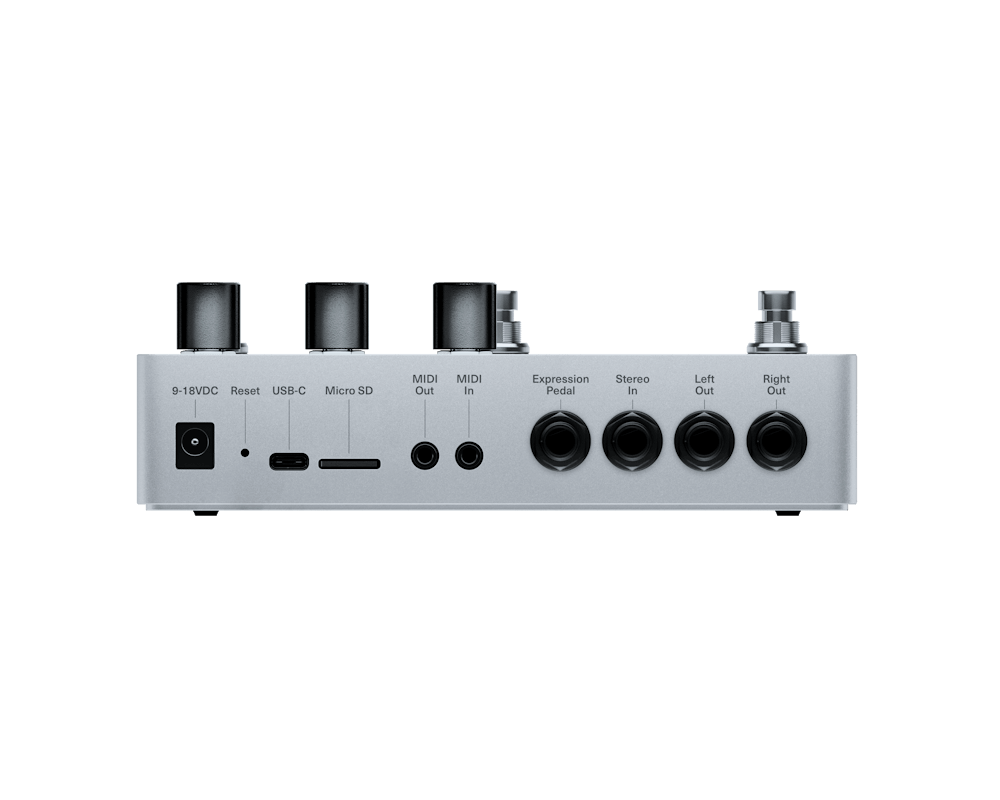
いいえ。USB-Cは双方向のUSB MIDIのみに対応しています。ファイルはmicroSDを通して転送され、オーディオはアナログの入力および出力を使用します。
はい。専用のヘッドフォンアダプターが付属しています。
Loopは9~18V DC、最小500mAに対応しており、センターマイナスまたはセンタープラスのどちらの極性にも対応しています。電源アダプターは付属していません。