Loop
Mini Production Studio
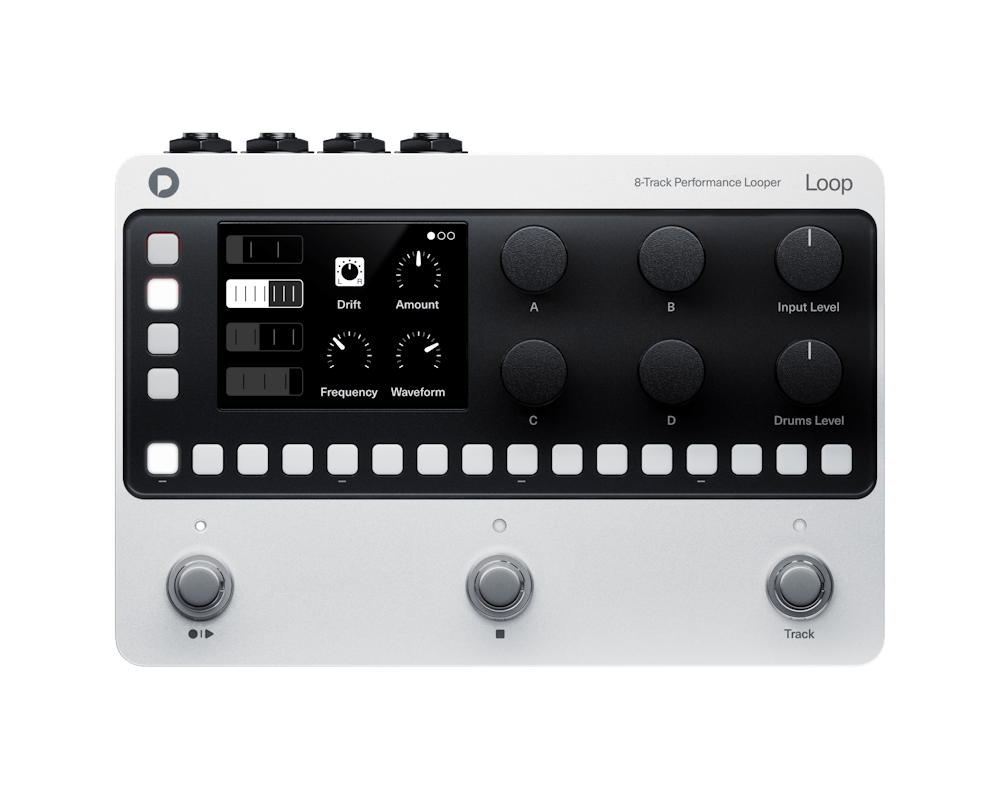
Record your instruments. Sample your own sounds. Build beats and melodies. Loop brings recording, sampling, sequencing and effects into one compact device.
Main features
Audio
Start with a guitar line, a bass part, a synth or your voice. Build layers across four independent loop tracks, then give each part its own character with effects and playback modes.
Samples
Sample a drum hit, a synth note or your own voice. Turn your one-shots into beats, basslines and melodies across four sample tracks. Use the hardware sequencer to build patterns, create variations and develop parts that play alongside your recorded loops.
Create in sync
Keep your recorded parts, sequenced beats and melodies, and external MIDI gear playing together. Cue pattern and project changes on the bar, and keep developing the music as you play.
Explore a different feel with free-length loops, or use Varispeed to change a loop’s playback speed and pitch together.
Build your arrangement
Give your idea a verse, a chorus and somewhere to go. Use projects for different song sections and cue the next section as you play.
Each project remembers its loops, sequences, tempo and effects. Save up to 1,000 projects to revisit your ideas and develop new versions.
From Loop to DAW
Take your music into your favourite DAW with the online exporter (coming soon). Continue developing your arrangement, add new parts and refine the mix when you’re ready to move to your computer.
Start with inspiration
Find a sound that makes you want to play. Explore the included kits, rhythms and loops, then combine them with your own recordings and samples.
Tech specs
FAQ
Yes. Each of the four audio loop tracks can record and play mono or stereo audio independently.
Each audio loop track can hold up to 52 seconds of audio in mono and 26 seconds in stereo.
There is no limit to the number of overdubs. Keep adding layers to your loop, with single-level undo available to remove the latest overdub.
No. Each track can use a tempo-synchronized or free loop length.
No. With Varispeed enabled, playback speed and pitch change together with the scene tempo. With Varispeed disabled, the loop keeps its playback speed and pitch. Loop does not time-stretch audio.
Yes, but you have to use a dynamic microphone. Loop does not provide phantom power.
Yes. Load loops and samples from microSD, or record your own drum samples directly through the audio input.
Yes. You can control recording, playback, overdubbing, undo, scene changes and other operations with your feet. Parameter-value adjustments require an expression pedal or MIDI for hands-free control. Drum sequences are edited using the onboard sequencer controls.
Use separate Scenes for sections such as intro, verse, chorus, bridge and outro. During playback, queue the next or previous scene. It starts at the end of the current bar.
Yes. Each audio loop track is stored as an individual WAV file on microSD for transfer, archiving, and later mixing. No effects are added to the recording.
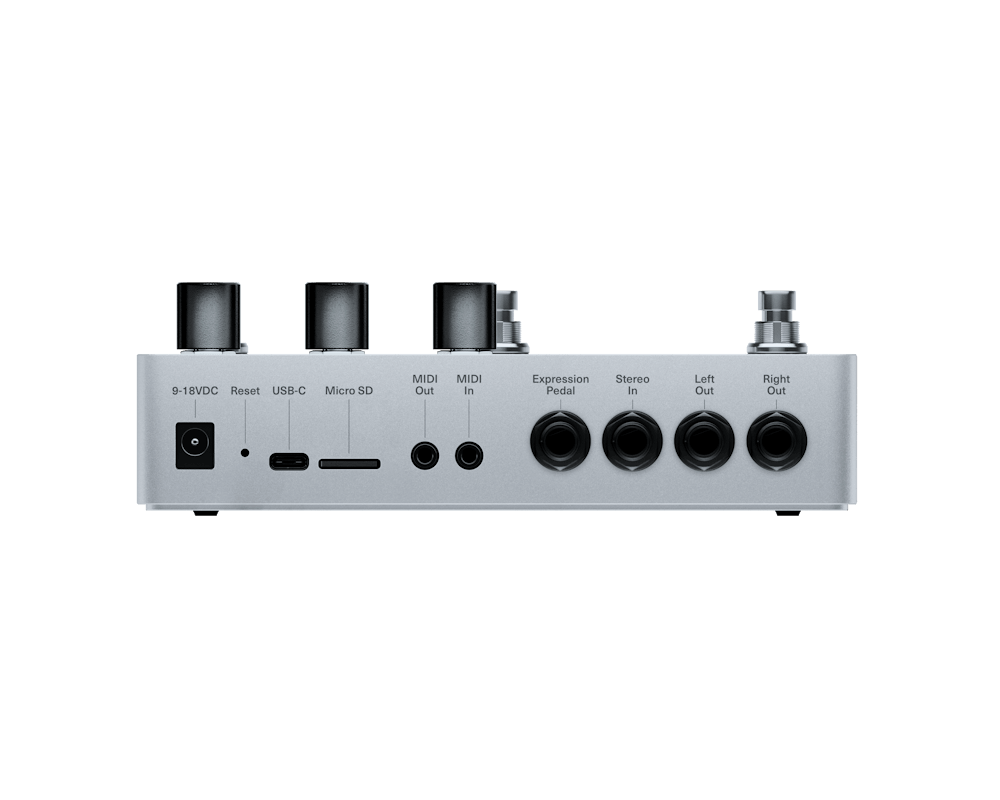
No. USB-C provides bidirectional USB MIDI. Files are transferred through microSD, while audio uses the analogue input and outputs.
Yes. A dedicated headphone adapter is included in the box.
Loop accepts 9–18 V DC at a minimum of 500 mA, with either centre-negative or centre-positive polarity. A power supply is not included.