Sidechain compression is a core technique in music production today. Sidechain compression can be used for subtle volume shaping or massive pumping action, as commonly heard in the pulsing sound of a 4/4 dance track. Sidechain compression is often done via software plugins, and options to create sidechaining in analog hardware either offer limited control or have been prohibitively expensive. The Press has advanced controls designed specifically for sidechain compression. In this guide we’ll demystify sidechain compression and show you how to master it using the Press.
What is Sidechain Compression?
Sidechain compression is the use of one audio track to control the volume of another track automatically. Sidechain compression can be used to reduce “Frequency Masking” where frequencies overlap in a mix and reduce the clarity of both sounds, or create a pulsing feel to enhance the groove of a track.
Compressor Controls
To control compression, a few core parameters are typically used. Let’s review them quickly:
Threshold: The level that the signal must exceed to trigger compression.
Ratio: determines the amount of volume reduction applied when the threshold is reached.
Attack: How quickly the compressor’s volume is reduced. Slower attacks allow for the initial transients to pass through.
Release: How slowly the volume returns to normal after the signal drops below the level. Attack and release will shape the volume reduction and the pulsing feel of the sidechain.
Press: Designed for Analog Sidechaining
Press is a studio-grade, all-analog VCA compressor, designed to bring a level of control and precision typically only found in expensive rackmount gear. For sidechaining, Press has several stand-out features:
Stereo I/O: Both the main input and output, as well as the sidechain through, are in stereo, utilizing TRS jacks to save space.
Transparent Analog Circuitry: Compress without changing the tone or character of a signal. Press is a transparent compressor, unlike many compressors that color the tone as part of the compression effect. No change in the tone of the compressed instrument is most desirable for sidechain compression, because the goal of sidechain compression is to get one sound “out of the way” of another. “Adding color” or changing the tone of the compressed signal can work against this goal.
Ultra-low Noise floor: Compressors tend to be noisy by nature, but our engineers worked meticulously to design the lowest noise compressor pedal possible. Like adding color, noise can be a desirable part of the compression “effect” that adds character or a vintage feel to the signal. Again, this is more desirable when using a compressor as a tonal effect, but it is not so great when you don’t want added noise as with sidechaining.
Crafting Sidechain Compression
Now let’s set everything up to create a sidechain effect. For this example, we’ll recommend settings for a synth and kick as in the video above.
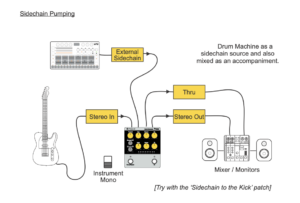
1. Connect the main stereo I/O: Connect the instrument you want to duck the volume on to the stereo in jack and out the stereo out to your mixer or audio interface.
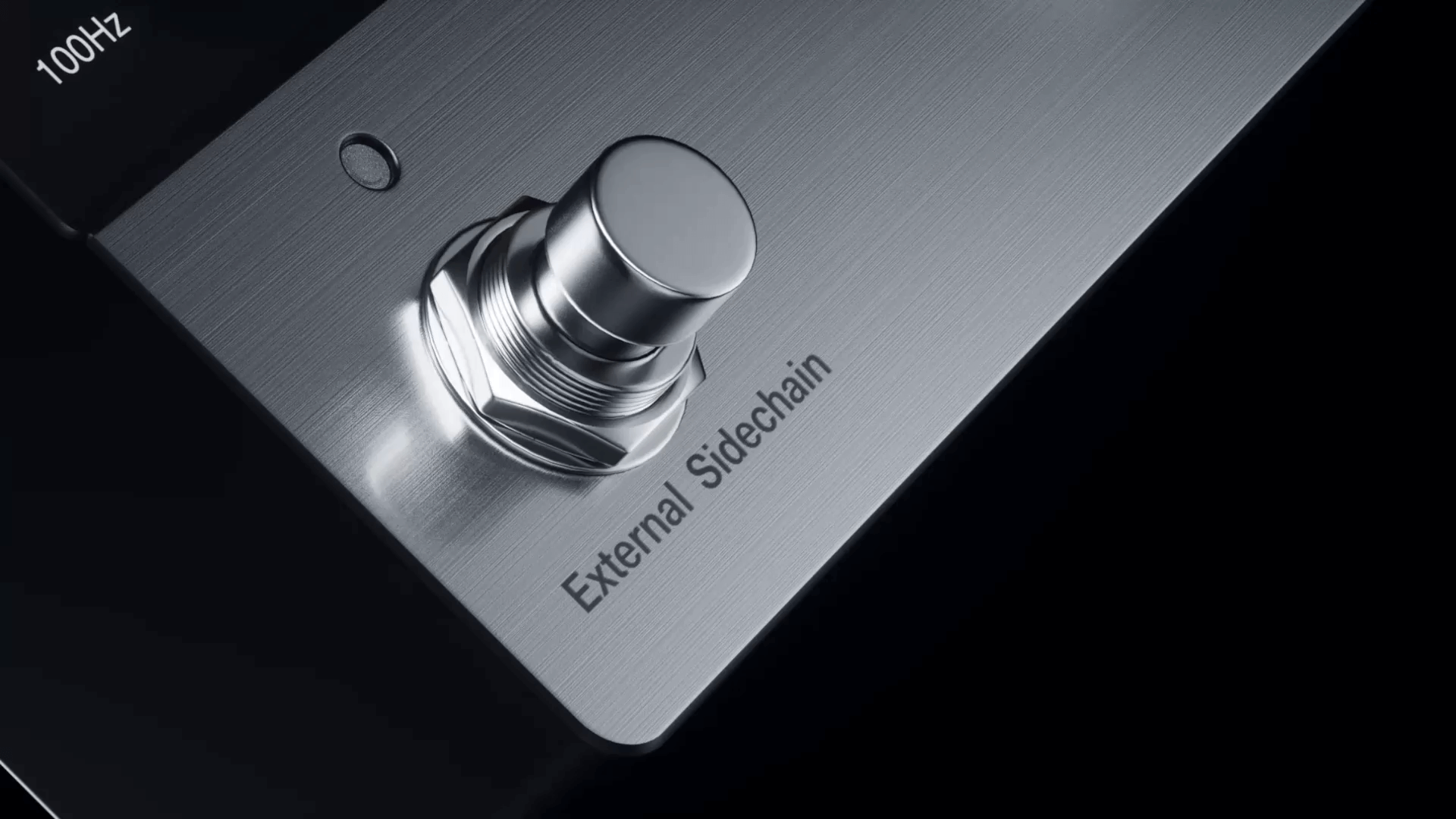
2. Connect the trigger signal: Run the external source you wish to trigger the sidechain compression, in this case, the Tracker Mini’s kick, into the 3.5mm “External Sidechain” input in stereo. Run the 3.5mm Thru to your mixer or audio interface.
3. Engage the Sidechain: Press the right stompswitch to activate the External Sidechain. When this switch is not active, the primary signal will trigger compression.
4. Set Threshold and Ratio: Start with a high Ratio, around 4 o’clock, to make the effect obvious. Now, slowly turn the Threshold knob counter-clockwise. You will see the central Gain Reduction LED begin to flash in time with the kick drum. Lower the threshold until you achieve the desired amount of “ducking” in the synth line.
5. Blend with the Mix Knob: If the effect feels too extreme and is taking the synth too far out of the mix, dial back the Mix knob. This engages parallel compression, blending the heavily compressed (wet) signal with the original, unaffected (dry) signal. A setting around 70% can restore weight to the synth while retaining the rhythmic pump.
6. Adjust the level with Make-up Gain: The makeup gain knob can cut or boost the level of your compressed signal. As the overall level of the signal is often reduced with compression, boosting the signal is usually needed after applying the compression effect. Use the make-up knob to adjust the level of your synth to sit perfectly in the mix.
The Secret Weapon: Sidechain Filters
This is where the Press shines, filtering out frequencies that shouldn’t be compressed. The average kick drum contains both a sharp, mid-frequency transient, the “click”, and a long, low-frequency sub-bass tail. This tail can hold the gain recursion down for too long, causing a sluggish compression response or a muddy pumping effect. A typical kick drum sample contains both a sharp, mid-frequency transient (the “beater click”) and a long, low-frequency sub-bass tail. This long tail can hold the compressor’s gain reduction down for too long, resulting in a sluggish or “muddy” pumping effect. The solution is to make the compressor react only to the kick’s initial transient.
Use the Sidechain HPF (High-Pass Filter) knob. While your track is playing, slowly turn the HPF knob clockwise. Slightly turn the Sidechain LPF (Low-pass Filter) counterclockwise. Both filters are used as a band-pass filter to target the mid-frequency range only. Listen carefully, you will hear the sidechain effect become tighter, faster, and more precise. By filtering out the low and high frequencies of the kick drum from the sidechain signal, you are telling the compressor to ignore the sub tail and react only to the punchy, mid-range attack. This results in a clean and controlled ducking effect. This level of surgical control, typically in the digital domain, is one thing that makes the Press a uniquely powerful analog tool.
Conclusion: Make it Breathe
Sidechain compression is a fundamental technique for creating dynamic, energetic mixes. It is the tool that carves out space, highlights a groove, and makes your track breathe. Turn knobs, experiment, and listen to bring your tracks to life. With an analog tool like the Press, you gain the benefits of a high-quality VCA circuit but also a level of surgical control—particularly through its unique sidechain filters—that brings a powerful software workflow into the pedal realm.
The techniques explored here are starting points, but the mastery of this effect is in experimentation. In the next compressor guide, we’ll explore more creative sidechain techniques.